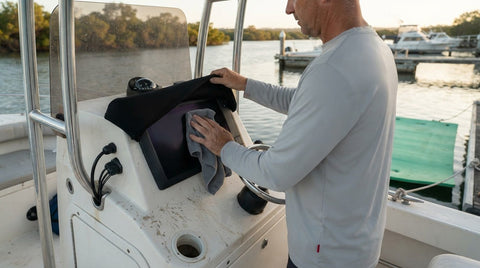
A boat cover can keep rain out and still leave electronics damp. Keeping electronics bone dry on a centre-console boat means shielding displays and connections from UV, spray and salt while allowing airflow, so moisture doesn’t become trapped underneath. Use suitable covers on exposed gear, and store the boat clean and dry.
Salt spray can cling to screens, plugs and console controls, while moisture under a poorly ventilated cover can linger after a trip. A few practical habits help: protect exposed displays, wipe away moisture and residue, and keep drains clear so standing water doesn’t add to the problem.
This guide covers protecting electronics and controls from sun and spray, keeping navigation and fishing gear dry, and managing ventilation beneath boat covers. You’ll find straightforward steps for time on the water and storage, so you can spend less time worrying about damp gear and more time enjoying the trip.
Key Takeaways
- Shield exposed displays from sun and spray with suitable covers, and wipe away salt and moisture after outings.
- Keep console drains clear and inspect connections for signs of moisture or salt build-up.
- Protect navigation and fishing gear by storing removable displays safely and keeping loose electronics in waterproof bags or boxes.
- Choose a breathable, properly tensioned boat cover to limit water entry without trapping damp air.
- Pay attention to cable entries and dash openings, where moisture can find a path behind the console.
1. Protecting electronics and controls from UV and moisture
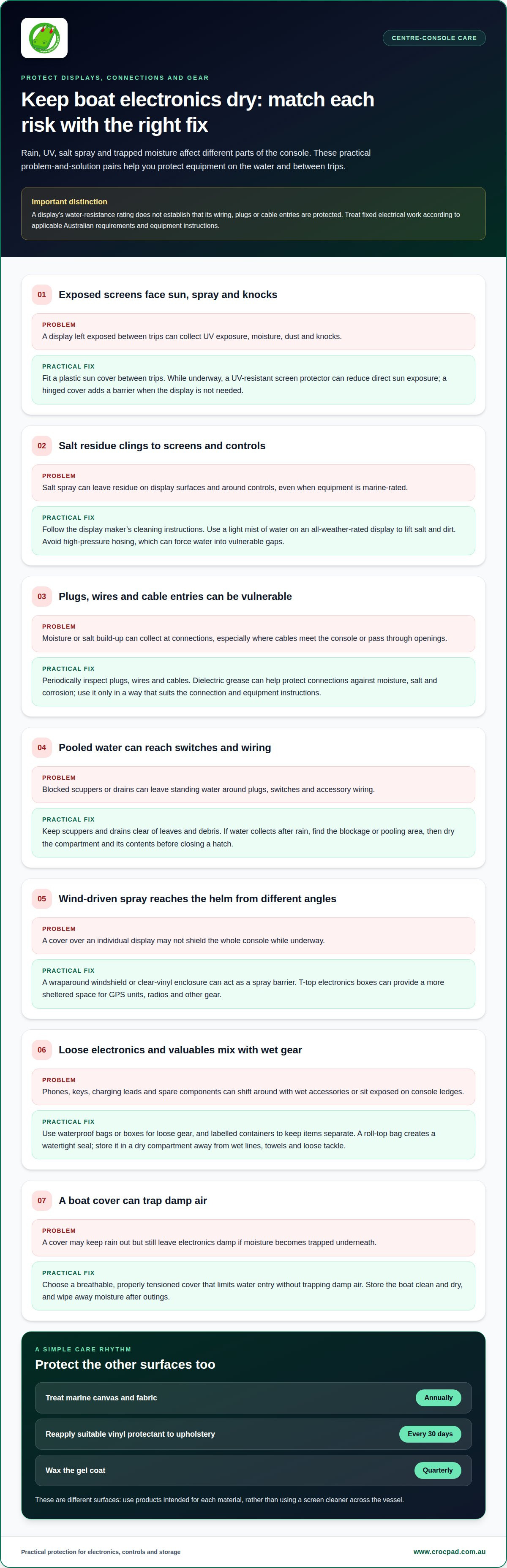
Australian rules for marine electrical installations are separate from a display’s water-resistance rating. A waterproof screen doesn’t establish that its wiring, plugs or cable entries are protected. Treat fixed electrical work according to applicable Australian requirements and equipment instructions.
Start with the exposed display. Fit a plastic sun cover over a flush- or flat-mounted screen between trips to shield it from UV, moisture, dust and knocks. During use, a UV-resistant screen protector can reduce direct sun exposure, while a hinged cover offers another barrier when the display isn’t needed. Nearly all marine electronics displays are waterproof, but salt spray can still leave residue on the surface and around controls. Follow the display maker’s cleaning instructions, then use a light mist of water on an all-weather-rated display to lift salt and dirt. Avoid high-pressure hosing, which can force water into vulnerable gaps.
Protect connections as carefully as screens. Periodically inspect plugs, wires and cables for moisture or salt build-up, especially where they meet the console. Dielectric grease can help protect electrical connections against moisture, salt and corrosion. Apply it only in a way that suits the connection and equipment instructions. After a saltwater outing, rinse console controls and switches with fresh water, then wipe away remaining moisture with a clean towel. Check that water hasn’t pooled around switches or entered exposed openings.
UV protection also matters beyond electronics. Treat marine canvas and fabric annually, reapply suitable vinyl protectant to upholstery every 30 days, and wax the gel coat quarterly. These steps address different surfaces, so use products intended for each material rather than applying a screen cleaner across the vessel. Wind-driven spray needs a separate barrier: a wraparound windshield or clear-vinyl enclosure can help shield centre-console electronics while underway. T-top electronics boxes also help protect GPS units, radios and other gear from sun, rain and salt spray. They’re a practical addition when the boat owner wants equipment stored inside a more sheltered space.
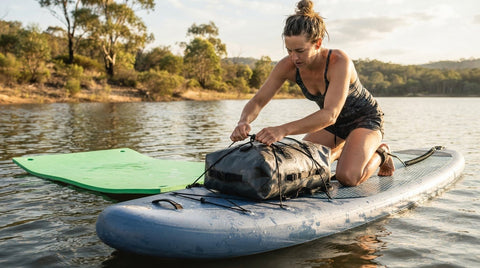
Keep phones, keys and other valuables away from open console ledges. A waterproof bag with a roll-top closure creates a watertight seal and can help protect belongings if accidentally dunked. Store it inside a dry compartment, not beneath wet lines or towels. For centre-console boats, this simple solution keeps personal items separate from exposed marine controls, while covers and regular rinsing tackle weather and salt directly.
2. Keeping electronics dry on a center console boat
A waterproof electronics box adds a physical enclosure around equipment, while individual marine-rated electronics rely on their own designed protection. A box suits grouped gear such as a radio and accessories; individual protection keeps exposed equipment usable without enclosing the whole console.
Choose storage based on how each component is used. A T-top electronics box can shelter GPS units, radios and other equipment from rain and salt spray. Protect items that need to remain accessible outside the box with fitted covers. Waterproof bags and boxes also help protect loose electronics stored in console compartments or boat hatches. Use labelled containers to separate phones, charging leads and spare components instead of letting them shift around with wet gear. To keep electronics bone dry on a centre-console boat, choose storage that suits how each item is used.
Australian prices for waterproof marine electronics boxes and covers depend on enclosure size, material, mounting arrangement and the equipment they need to fit. A cover’s price also depends on the display’s shape and dimensions. Compare the space and access required, not just the enclosure’s appearance: controls, cables and plugs need room to operate without trapping moisture.
Rain and wind-driven spray can reach the console from different angles, so use a wraparound windshield or clear-vinyl enclosure as a spray barrier. Secure display covers when equipment is idle, and keep a towel nearby to wipe water from controls. After saltwater boating, rinse around console controls and switches with fresh water. For an all-weather-rated marine display, use a light mist to remove residue, not a high-pressure hose. Pressure can drive water into openings or connections that a gentle rinse leaves undisturbed. These steps help keep electronics bone dry on a centre-console boat, even when spray reaches the helm.
Keep the console draining freely. Check that scuppers and drains are clear, then remove leaves or debris that could block water flow. Standing water around a console can reach plugs, switches and accessory wiring. If water collects after rain, find the blockage or pooling area before storing electronics nearby. Dry the compartment and its contents before closing a hatch, rather than sealing damp gear inside.
For phones, keys and small valuables, use a waterproof bag with a roll-top closure. Roll the top closed to form its watertight seal, then place the bag in a protected compartment away from loose tackle. A waterproof bag for boating essentials offers a simple way to keep personal items together and separated from wet accessories. Treat the bag as extra protection, not a substitute for keeping the console dry and drains clear.
3. Navigation and fishing electronics
A sounder and GPS help you read depth and navigate while fishing or cruising. Position the screen so the operator can read it without leaning across the console, with a clear view free of fishing rods, hands and moving gear. A larger, higher centre console can provide room for bigger sounders, a stereo and a marine radio. Plan the layout before installing equipment so screens remain visible and controls stay within easy reach.
Consider the mounting method before choosing a location. Suction-cup mounts can fail in rough seas or on textured surfaces, leaving a display loose when you need it. A bracket-mounted unit offers a different arrangement and can be removed between trips for safe indoor storage. Before stowing a removable screen, disconnect it carefully and keep its cables together. Store the display somewhere dry, away from tackle, wet clothing and a cooler that may leak.
Start cleaning with the equipment switched off. Shurhold recommends powering down a marine display before cleaning and checking its manual for care instructions. Use a microfibre cloth to remove marks, then dry the screen promptly to help prevent water spots. Avoid abrasive cloths that could scratch the display. If salt spray has dried on the surface, follow the manual’s cleaning guidance instead of scraping at residue or applying an unapproved cleaner.
Fishing electronics also need to work as a coordinated layout. Keep the sounder’s view and GPS information easy to read, and arrange the marine radio where it remains accessible. Rod holders, fishing gear and other accessories can crowd a compact console, so check they don’t block screens or controls. Centre consoles with more room can accommodate larger sounders and additions such as a stereo. There’s no single ideal arrangement: the right setup depends on the equipment you use and the space available.
For redundancy, the article recommends two or even three multifunction displays as an ideal setup for monitoring multiple systems. A second display can provide another view of information if one screen becomes unavailable, but it doesn’t remove the need to care for each unit. Keep removable displays indoors between trips, clean screens gently, and protect exposed equipment from spray. These routines help keep navigation and fishing electronics ready for the next outing.
A T-top electronics box is designed for marine conditions and can help keep navigation and communication equipment secure and dry. It can form part of the overall setup when deciding where essential screens and a radio should go, while preserving a clear view and easy access. Secure storage complements careful handling; it doesn’t replace cleaning or checking equipment after use.
Redundancy matters because a boat with only one multifunction display can be left without that display if it fails 50 miles offshore. A second screen can reduce dependence on a single unit, but each display still needs sensible care between outings. Remove bracket-mounted marine displays between trips and store them safely indoors. For routine cleaning, wipe a marine display with a microfiber cloth and dry it quickly to help prevent water spots. Together, secure storage and gentle cleaning help keep equipment ready without making the helm harder to use.
4. Ventilation and moisture control under covers
To reduce condensation inside a waterproof marine electronics box, dry its interior and equipment before closing it. Don’t seal damp gear inside after a saltwater trip: trapped moisture can settle on components as temperatures change.
A boat cover should keep water out without trapping damp air against the console. Choose a breathable cover and tension it properly so rain runs off instead of pooling in folds. A loose section can sag over the dash, hold water and press against electronics. A cover pulled too tightly can restrict airflow around the console. Check the fit after covering the boat, especially around the windscreen, helm and exposed edges.
Before leaving the vessel under cover, clean and dry it completely. Remove wet towels, fishing gear and other damp items from the console area. Wipe down the dash and surrounding surfaces, then leave compartments open while the boat dries. Close hatches only after moisture has evaporated. Morning dew can promote mildew growth, so a dry start matters even when the boat hasn’t been out in saltwater.
For electronics stored in a waterproof box, dry the inside with a clean cloth before putting equipment away. Keep cables and plugs dry, and avoid packing warm, damp items beside a marine display. A sealed box protects against outside water, but closing it around existing moisture can trap dampness. Moisture absorbers or a ventilation system can help when humidity is a concern. Position any absorber so it can’t spill onto electronics, and follow its instructions.
After rain or a humid spell, lift the cover and inspect the console for pooled water and damp patches. Check beneath the cover, around seat bases and inside storage compartments. If water has collected, remove it and let the area dry before covering the boat again. This simple routine helps the cover protect against weather without turning the console into a damp enclosure. Marine electronics need dry storage, not merely a waterproof outer layer.
For extended covered storage, keep airflow in mind. Make sure the cover remains properly tensioned and its edges don’t block drainage paths. If humidity persists inside the covered boat, improve ventilation or use moisture absorbers rather than sealing the cover more tightly. Protect exposed electronics while allowing air to circulate around the console. That balance helps limit trapped moisture and keeps equipment ready for the next outing.
5. How to waterproof a boat centre console dash and cable entries
Protecting a centre-console dash starts with finding where water can enter. Once the area is dry, inspect the display edges, switch panels, seams and cable openings. Look for cracked seals, loose fittings, gaps around panels or water marks beneath the dash. These clues can help distinguish splash exposure from water travelling behind the console.
Before cleaning or inspecting electronics, switch them off and follow each manufacturer’s instructions. Wipe the dash dry, then examine cable entries from both sides where accessible. Check whether cables pass through a properly fitted gland or grommet, and look for movement, splits or gaps around the opening. A loose cable can widen an entry point as the boat moves, allowing spray to track along its outer surface.
Use materials intended for marine exposure when renewing a damaged seal. Follow the sealant maker’s directions for surface preparation, application and curing, and match the product to the dash material. Don’t cover drain paths, ventilation openings, removable access panels or controls. Sealing the wrong opening can trap moisture or make equipment harder to reach. Keep sealant away from connectors and moving parts unless the equipment instructions specifically allow it there.
Work methodically. Mark each suspect entry with removable tape, then address one area at a time. Support cables so their weight doesn’t pull against a new seal. Avoid sharp bends, strained plugs and tangled wiring behind the dash. If a cable needs rerouting, or water has reached electrical components, leave the wiring untouched and arrange assessment by a suitably qualified marine electrician. A bead of sealant cannot repair corrosion or damaged wiring.
After the repair material has cured as directed, check the area during routine cleaning and after exposure to spray. Look for fresh water tracks, dampness behind the panel or a lifted seal. Use a gentle rinse around the console, not a high-pressure jet aimed at cable entries. If moisture returns, trace its route before adding more sealant. Repeated layers can hide the entry point without fixing it.
Keep personal items and small tools in a waterproof bag while working around the dash, so they stay separate from wet surfaces. For waterproof storage for boating essentials, choose a bag that suits what you need to carry. A dry console depends on sound entry seals, supported cables and keeping drainage and ventilation paths open.
Keep towels on deck to wipe moisture from the centre console. Periodically check marine-electronics connections, plugs, wires and cables for moisture and salt that can lead to corrosion; a dry-looking dash does not replace checking these points. After every saltwater outing, rinse a center console boat with fresh water, including around the console controls and switches, while avoiding a forceful jet at vulnerable entries.
During boat storage, make monthly winter checks for pooled water and loose straps. Centre-console boats between 5 and 6.5 metres are suitable for estuaries, shallow water, freshwater rivers and lakes, so conditions can vary. After outings, pay attention to dampness around the dash and cable routes. If moisture or salt is found at an electrical connection, arrange qualified assessment rather than assuming the exterior seal has solved the problem.
Crocpad
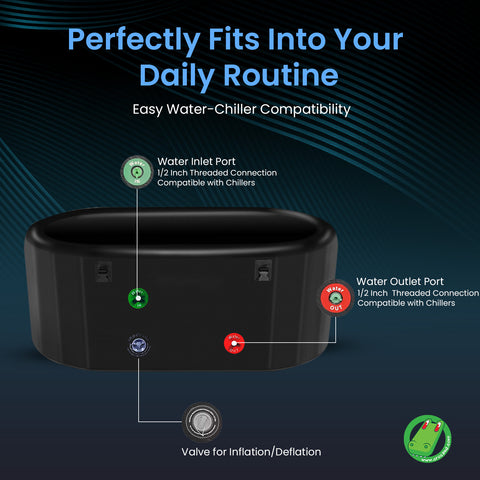
Once your boat electronics are protected, Crocpad products can add to your time on the water and outdoor recreation. Its range includes Floating Water Mats, pool slides, and Ice Baths & Chillers for relaxing or cooling off after a day outdoors. These products complement a boating lifestyle; they aren’t substitutes for marine covers, dry storage or sound cable seals. Choose a Floating Water Mat for recreation on the water, or explore a pool slide for added activity at home. For post-adventure recovery, browse Crocpad’s Ice Baths & Chillers.
Make the next day on the water count
Keeping electronics bone dry on a centre-console boat is one part of preparing for enjoyable days outdoors. Once your protection routine is in place, think about how you want to use your time on and around the water. Crocpad’s recreational range includes the Floating Water Mat, Minima Pool Slide and Megalo 3M Inflatable Water Pool Slide. These products add options for relaxing or playing, rather than serving as boat-electronics covers or installation equipment.
If you’re planning activities beyond the boat, explore those products and decide what suits your setup. For product enquiries, contact Crocpad about its recreational water gear. Keep your electronics care practical, make room for the activities you enjoy, and look forward to your next outing.
Frequently Asked Questions
How do you keep electronics dry on a centre console boat in Australia?
Use a purpose-made marine enclosure suited to the spray and weather your boat encounters, and mount it away from direct splash where practical. Close charging-port covers, secure cable entries, and keep handheld devices in a separate dry storage bag when not in use. Crocpad’s Waterproof Bags can help organise portable gear between trips, but make sure the bag suits the device and conditions. Dry your hands before operating screens or controls.